IPad Pro 10.5: 7 Must-Have Accessories for 2025
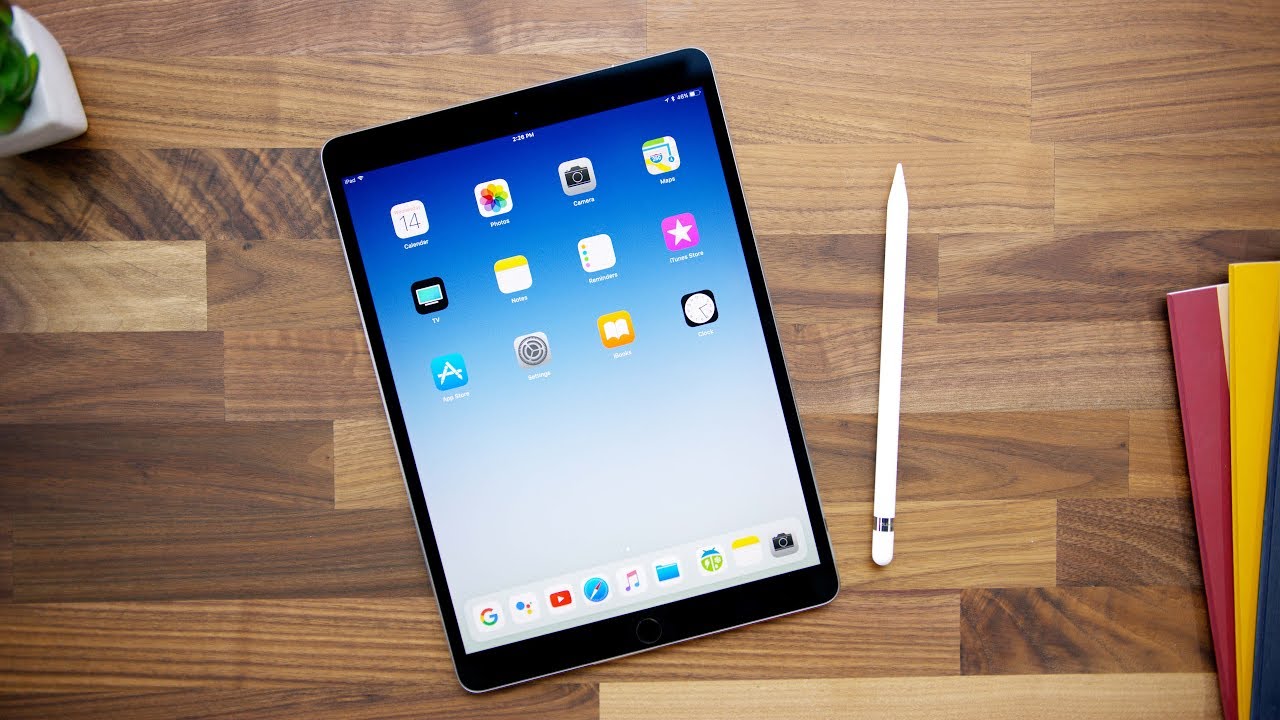
Exploring the Features of the iPad Pro 10.5
In the fast-paced world of technology, the iPad Pro 10.5 stands out as a powerful device that merges portability with performance. 🌟 Launched by Apple in 2017, it remains a popular choice among creatives, professionals, and everyday users due to its impressive capabilities.
Design and Display
The iPad Pro 10.5 boasts an exceptionally sleek design, measuring just 6.1 mm in thickness and weighing around 1.03 pounds. Its 10.5-inch Retina display features ProMotion technology, offering a smooth refresh rate of 120Hz. This enhances the viewing experience by making animations smoother and scrolling more responsive.
With a resolution of 2224 x 1668 pixels, the display delivers vibrant colors and deep contrasts, perfect for anything from graphic design to watching movies. Compared to the standard iPad, which has a lower resolution and lacks ProMotion, the iPad Pro 10.5 clearly offers a superior visual experience.
Performance and Software
Powered by the A10X Fusion chip, the iPad Pro 10.5 delivers outstanding performance, handling multitasking and demanding applications with ease. This chip allows for seamless integration with iOS, ensuring that users benefit from the latest features and software improvements.


Unlike some competing tablets, the iPad Pro 10.5 excels in processing power, making it suitable for video editing, 3D rendering, and graphic design. The combination of hardware and software optimizations positions it as a top contender in the tablet market. For users requiring serious processing power, this model outshines many alternatives.
Battery Life
One of the standout features of the iPad Pro 10.5 is its battery life, lasting up to 10 hours on a single charge. Whether you’re browsing the web, editing video, or working on documents, you can depend on its longevity throughout the day without the need for constant recharging. This reliability makes it a preferred choice for busy professionals and students alike.
Using the iPad Pro 10.5 Effectively
To unlock the full potential of the iPad Pro 10.5, consider integrating complementary tools that enhance its functionality. Here are some effective ways to use it in tandem with other tools:
1. Apple Pencil
The Apple Pencil is a game-changer for artists and note-takers. By using the iPad Pro 10.5 with the Apple Pencil, you can create precise drawings, take handwritten notes, and edit documents smoothly.
- High precision for drawing and writing.
- Pressure sensitivity makes the experience similar to pen on paper.
- Easy to switch between tools in creative apps.
- Compatible with various design and productivity software.
2. Smart Keyboard
The Smart Keyboard transforms the iPad Pro 10.5 into a laptop-like device, enhancing productivity significantly while working on documents or emails.
- Full-sized keyboard layout for comfortable typing.
- Lightweight and portable for on-the-go use.
- Smart connector makes setup simple without batteries.
- Helpful for long typing sessions or reports.
Integrating the Smart Keyboard allows users to explore word processing like never before on a tablet.
3. Procreate
Artists and designers can benefit immensely from using Procreate alongside the iPad Pro 10.5. This powerful drawing app harnesses the hardware capabilities, allowing users to create stunning digital artwork.
With features like custom brushes and an intuitive interface, Procreate complements the iPad Pro’s capabilities to deliver a top-tier creative experience.
Discover more about Procreate and elevate your artistic efforts.
4. Notability
Effective note-taking is crucial for students and professionals. Notability is a versatile app that works seamlessly with the iPad Pro 10.5, enabling users to take handwritten notes, annotate PDFs, and organize information effectively.
5. Microsoft Office Suite
For those who rely on traditional office applications, using the Microsoft Office Suite on the iPad Pro 10.5 offers robust functionality. Whether creating Excel spreadsheets or engaging in Word documents, this integration allows for a smooth productivity experience while on the go.
6. Adobe Creative Cloud
The combination of the iPad Pro 10.5 with Adobe Creative Cloud continues to be a winning duo for professional creatives. This suite allows users to design and edit across different platforms, making use of potent software like Photoshop and Illustrator.
7. Evernote
To amplify productivity and organization, integrate Evernote with the iPad Pro 10.5. This app helps users create and manage notes efficiently, ensuring that you never lose vital information while on the move.
8. Apple Music
While not directly related to productivity, using Apple Music on the iPad Pro 10.5 enhances the overall experience. Listening to your favorite playlists can boost creativity and focus while you work or study.
- Access to millions of songs and playlists.
- Customizable music options enhance concentration.
- Offline listening capabilities for travels.
- Seamless integration with other Apple devices.
Explore Apple Music to personalize your auditory experience.
9. Google Drive
For storing and sharing documents easily, integrate Google Drive with iPad Pro 10.5. The cloud storage solution allows quick access to files and seamless collaboration with others.
10. Zoom
In today’s remote working environment, Zoom is essential for virtual meetings. Using it on the iPad Pro 10.5 ensures you stay connected with colleagues and clients no matter where you are.
Conclusion
The iPad Pro 10.5 represents a perfect blend of power, functionality, and portability. By leveraging its capabilities alongside complementary tools like Apple Pencil and the Smart Keyboard, users can significantly enhance their productivity and creativity. Whether for professional tasks, creative projects, or entertainment, the iPad Pro 10.5 remains a versatile and valuable device in the modern tech landscape.
Unlocking the Power of the iPad Pro 10.5
Are you ready to transform your digital experience? The iPad Pro 10.5 offers a world of possibilities packed into a sleek design. 🌟 In this article, we’ll explore its key features, how it compares to other devices, and the tools that can elevate your productivity. Let’s dive in!
Performance and Usability of the iPad Pro 10.5
The heart of the iPad Pro 10.5 is its A10X Fusion chip, which delivers exceptional performance for demanding tasks, from gaming to graphic design. The smooth operation paired with iOS provides a seamless user experience. You’ll find that performing tasks like video editing or graphic design becomes more efficient, thanks to the robust hardware.
Additionally, the Liquid Retina display is truly a game changer. It offers stunning color accuracy and a 120Hz refresh rate, ensuring everything from browsing to watching videos looks incredible. Unlike competitors such as the Surface Pro, the iPad Pro 10.5 excels in both form factor and performance, providing an unrivaled user experience.
Key Features of the iPad Pro 10.5
Display Technology
The iPad Pro 10.5 features a 10.5-inch Liquid Retina display that redefines clarity. With support for P3 wide color and True Tone technology, the screen adapts to your lighting conditions, providing an optimal viewing experience no matter where you are.
Battery Life
With up to 10 hours of battery life, the iPad Pro 10.5 keeps you powered throughout your day. It’s ideal for on-the-go professionals and students alike, meaning you can work, play, and create without worrying about running out of juice.
Comparing iPad Pro 10.5 with Other Devices
When considering alternatives, devices such as the Microsoft Surface Pro come to mind. While the Surface offers flexibility with a full desktop OS, the iPad Pro 10.5 stands out for its app ecosystem and optimized performance, catering specifically to mobile use.
Another competitor is the Samsung Galaxy Tab S4. While it provides a similar size and feature set, the iPad Pro 10.5’s integration with Apple’s ecosystem, including iCloud and continuity features, offers a more cohesive experience.
Complementary Tools for Enhancing iPad Pro 10.5 Experience
By using the iPad Pro 10.5 alongside various tools, you can unlock even more functionalities. Here are some suggestions for complementary tools that can elevate your experience:
- Adobe Creative Cloud: Perfect for designers and photographers.
- Notability: Seamlessly take notes and annotate PDFs.
- Microsoft Office: For professional document creation and editing.
- Todoist: Keep your tasks organized and in check.
- Slack: Stay connected with your team effortlessly.
- Procreate: A robust app for digital painting.
- Apple Pencil: Enhance your creative capabilities.
- Keynote: For powerful presentations on-the-go.
- Google Drive: Easily access and store documents in the cloud.
- Trello: Organize projects and collaborate efficiently.
Notability
Notability is your go-to app for taking notes or annotating essential documents. Here are a few reasons why it’s a perfect match for the iPad Pro 10.5:
- Versatile Note-Taking: Jot down notes, annotate PDFs, and record audio seamlessly.
- iCloud Sync: Access your notes across all devices effortlessly.
- User-Friendly Interface: Intuitive design makes it easy to navigate through various features.
- Media Integration: Incorporate images, sketches, and audio recordings into your notes.
Keynote
When it comes to creating impactful presentations, Keynote stands out. It enhances the power of the iPad Pro 10.5 by allowing you to:
- Create Stunning Presentations: Utilize powerful graphics and animations to engage your audience.
- Real-Time Collaboration: Work with your team seamlessly, even from different locations.
- Templates and Themes: Start quickly with a variety of professional templates.
- iCloud Integration: Access and present your work from any location effortlessly.
Maximizing Creativity with iPad Pro 10.5
The iPad Pro 10.5 isn’t just for productivity—it’s a canvas for creativity. Using tools like Procreate alongside it allows artists and designers to leverage the responsive capabilities of the Apple Pencil. The pressure sensitivity and tilt functionalities make it a joy to create digital masterpieces.
Gaming and Entertainment Experience
The gaming experience on the iPad Pro 10.5 is enhanced by its A10X chip and Liquid Retina display. Games run smoothly, and visuals are breathtaking. Whether playing high-definition games or streaming content, the iPad Pro 10.5 ensures you’re always entertained.
Using iOS Features with the iPad Pro 10.5
iOS brings unique features that maximize the device capabilities. For instance, the Split View feature lets you operate two apps side by side—imagine browsing the web while taking notes simultaneously! This fluency is a huge advantage when multitasking, especially for students and professionals alike.
Transitioning to the iPad Pro 10.5
If you’re considering switching from a traditional laptop or another tablet, transitioning to the iPad Pro 10.5 is relatively simple. Its iOS software is straightforward, and with Apple’s continuity features, transferring files and apps from your previous device can be done effortlessly. You’ll find iPad Pro 10.5’s learning curve to be friendly, ensuring you can hit the ground running.
Community and Support
The iPad Pro 10.5 has a robust user community. From online forums to official Apple support, help is always accessible. You can find user guides, troubleshooting articles, and discussions on specialized forums, making it easy to resolve any issues or learn new tips and tricks.
Final Thoughts on the iPad Pro 10.5
The iPad Pro 10.5 is more than just a tablet; it’s a powerful tool that caters to various needs—whether you’re an artist, a student, or a professional. Its performance, seamless usability, and rich set of features make it an ideal solution for anyone wanting to enhance their productivity and creativity.
If you’re keen on making the most out of your iPad Pro 10.5, consider incorporating the tools mentioned earlier to expand your capabilities and enrich your daily tasks. With its solid integration into the Apple ecosystem and versatility, the iPad Pro 10.5 is certainly a powerful asset!
iPad Pro 10.5: Your Ultimate Productivity Tool
Are you looking for a device that combines power, versatility, and portability? The iPad Pro 10.5 📱 may be just what you need. With its robust features and seamless integration into daily tasks, it’s designed for professionals and creatives alike. Here, we’ll unravel the core benefits of this device, compare it strategically with other tablets, and discuss how to optimize its capabilities using complementary tools.
Key Features of iPad Pro 10.5
The iPad Pro 10.5 is packed with a range of impressive features that set it apart from its competitors. Let’s highlight some of the key elements:
- Powerful Performance: Equipped with the A10X Fusion chip, it delivers desktop-class performance.
- ProMotion Technology: Enjoy smoother scrolling and responsiveness with a 120Hz display.
- Enhanced Camera: Capture stunning photos and videos with its 12MP rear camera and 7MP front camera.
- Long Battery Life: Up to 10 hours of usage on a single charge, ensuring you stay productive throughout the day.
Comparing the iPad Pro 10.5 with Other Tablets
When evaluating tablets, it’s essential to understand how the iPad Pro 10.5 measures up against others in its category like the Microsoft Surface Pro and Samsung Galaxy Tab S4.
- Performance: Compared to Samsung Galaxy Tab S4, the iPad Pro 10.5’s A10X chip offers superior graphics and processing speeds, ensuring smoother multitasking.
- Display: Unlike the Microsoft Surface Pro, the iPad Pro 10.5’s ProMotion technology provides a richer visual experience, particularly in dynamic app usage.
- Versatility: The iPad Pro 10.5 supports the Apple Pencil and Smart Keyboard, making it more adaptable for creative professionals compared to many competitors.
Complementary Tools to Maximize iPad Pro 10.5 Use
To fully harness the capabilities of the iPad Pro 10.5, consider integrating the following tools into your workflow:
- Apple Pencil: Perfect for note-taking and drawing.
- Notability: A powerful note-taking app for annotations and audio recording.
Explore Notability. - Adobe Creative Cloud: Use Photoshop and Illustrator for professional-level design.
Dive into Adobe Creative Cloud. - Microsoft Office: Access on-the-go document editing and collaboration.
- GoodNotes: An excellent app for organizing digital notebooks.
Check out GoodNotes. - Sketchbook: For artists looking to sketch or paint digitally.
- Dropbox: Streamline file storage and sharing.
Learn about Dropbox. - Todoist: A task management tool that keeps you organized.
Discover Todoist. - Zoom: Ideal for virtual meetings and collaborations.
- Procreate: A favorite among illustrators for creative projects.
Notability: Key Benefits
- Multimedia Notes: Record lectures while taking notes.
- PDF Annotation: Mark up documents directly.
- User-Friendly Interface: Easy to navigate and efficient for quick access.
- Cloud Integration: Syncs seamlessly with cloud services like iCloud and Google Drive, so you never lose your work.
Todoist: Enhancing Your Productivity
- Task Organization: Efficiently manage tasks and projects with ease.
- Cross-Platform Support: Syncs across all your devices, including the iPad Pro 10.5.
- Collaboration Features: Work with teams effortlessly with shared tasks and projects.
- Recurring Due Dates: Set reminders that adjust over time for ongoing tasks.
Creating Content with iPad Pro 10.5 and Complementary Tools
Imagine using the iPad Pro 10.5 with Notability for lesson planning while recording your sessions. This synergy ensures you’re capturing every detail, allowing for a richer and more interactive learning experience. By incorporating Adobe Creative Cloud, your design projects can unfold anywhere, anytime, enhancing your creativity on the go.
Using the iPad Pro 10.5 together with other tools not only boosts productivity but can reshape your entire workflow. For instance, integrating Microsoft Office allows for seamless document creation and collaboration. Its versatility ensures that you can adapt to any environment, whether working solo or in a group.
Conclusion: The Versatility of iPad Pro 10.5
The iPad Pro 10.5 fundamentally redefines how users interact with technology in both creative and professional domains. Whether you’re an artist or a business professional, its capabilities, when combined with the right tools, create a powerful arsenal to tackle any task. It stands out in a crowded market, demonstrating incredibly versatile features that cater to diverse needs. This device, paired with the right apps and accessories, allows for unparalleled productivity, ensuring you can achieve your goals efficiently.
